AI Announcer Voice Generator: Sports, News & Trailer Styles

Quick answer
An AI announcer voice works when pace, pitch, and energy match the format. Sports play-by-play is fast and rising, news reporting is steady and neutral, and movie trailers are slow, low, and full of pauses. Describe those three traits in a Voice Design prompt, then shape the script with punctuation.
Key takeaways
- Three announcer styles cover most projects: sports play-by-play, news reporting, and movie trailer narration.
- Pace is the biggest difference: roughly 180+ words per minute for live sports calls, 150–170 for news, and 100–130 for trailers.
- A good Voice Design prompt names gender, age, pitch, pace, energy, accent, and use case in one or two sentences.
- Punctuation is your volume knob: short sentences and exclamation marks raise energy; ellipses and line breaks create trailer-style pauses.
- Use an original announcer voice. Never prompt for a specific real broadcaster or commentator.
What makes an announcer voice different
An announcer voice is defined less by its timbre and more by how it moves through a sentence. Two voices with the same pitch can sound completely different once one speeds up toward a climax and the other holds a calm, even line. That is why a generic text-to-speech voice reading a sports script tends to sound flat: it reads every sentence with the same energy.
When you build an announcer voice with AI, you are really controlling four things:
- Pace — how many words per minute, and whether the pace changes inside a line.
- Pitch — how low or high the voice sits, and how much it rises at the end of phrases.
- Energy curve — whether intensity stays flat, builds, or drops for effect.
- Pausing — where the voice stops, and for how long.
Get those four right and listeners recognize the format within one sentence, even if the voice is entirely synthetic.
The three announcer styles compared
Each format has its own rhythm, and mixing them is the most common reason AI announcer audio sounds "off."
| Trait | Sports play-by-play | News reporter / anchor | Movie trailer narrator |
|---|---|---|---|
| Typical pace (words per minute, approx.) | 180+ during action | 150–170 | 100–130 |
| Pitch | Mid to high, rising at peaks | Mid, stable | Low, chest-heavy |
| Energy curve | Builds fast, peaks, resets | Flat and controlled | Slow build, dramatic drops |
| Pauses | Short, breathless | Even, between sentences | Long, deliberate, before key phrases |
| Sentence shape | Short bursts, repeated names | Complete, factual sentences | Fragments, "In a world…"-style setups |
| Emotion | Excited, urgent | Neutral, credible | Serious, suspenseful, epic |
| Typical use | Game highlights, esports clips, fantasy recaps | Explainers, internal updates, mock news segments | Video intros, game trailers, YouTube openers |
The pace ranges are common rules of thumb from broadcast and voiceover practice, not fixed standards. Treat them as starting points and adjust by ear.
Style 1: Sports play-by-play voice
A sports announcer voice lives on momentum: it starts at a confident, quick pace and climbs to a peak at the moment of action. The hardest part for AI is the climb. If every sentence is equally loud, there is nowhere left to go when the big moment arrives.
Voice Design prompt (copy and adjust)
Male, mid-30s. Bright, energetic, slightly raspy voice with strong projection. Fast pace that speeds up during action, rising pitch at the end of exciting phrases, explosive emphasis on key words. Neutral American accent. Excited and urgent tone. Live sports play-by-play commentary style.
You can write prompts in English or Chinese. Keep them specific: "energetic" alone is vague, while "fast pace that speeds up during action" tells the model how energy should change.
How to write a play-by-play script
- Use short bursts. Five to eight words per sentence keeps the delivery breathless.
- Repeat the key element. Real commentary repeats names and actions ("He shoots — he scores!"). Use a generic player or team name you invent.
- Escalate punctuation. A period for setup, a dash for tension, an exclamation mark for the payoff.
- Reset after the peak. Follow the big moment with a calmer line so the next build has room.
Sample 1 — play-by-play (original script):
"Thirty seconds left. Rivera brings it up the court. He crosses over — he's got a lane — he rises… and it's GOOD! Rivera at the buzzer! Unbelievable!"
Common play-by-play mistakes
- Too many exclamation marks. If every line ends with "!", the voice cannot climb. Save them for the payoff.
- Long sentences. Anything over about 15 words loses urgency. Split it.
- Real names. Do not script real athletes, teams, or leagues. Invented names keep your content original and avoid rights issues.
Style 2: News reporter and anchor voice
A news voice earns trust through consistency: steady pace, clear consonants, and very little emotional color. Where the sports voice spikes, the news voice stays level. Its authority comes from sounding unhurried and precise.
Voice Design prompt (copy and adjust)
Female, around 40. Clear, composed, mid-pitched voice with crisp articulation. Steady, even pace with natural pauses between sentences and a slight downward inflection at the end of statements. Neutral American accent. Calm, credible, emotionally neutral tone. Evening television news anchor style.
For a field reporter rather than a studio anchor, change "composed" to "slightly brisk" and add "speaking on location, a little more urgency."
How to write a news script
- Lead with the fact. The first sentence carries who, what, and where.
- Write numbers the way you want them read. "Twelve percent" is safer than "12%" if the voice stumbles on symbols.
- One idea per sentence. News delivery relies on clean sentence boundaries.
- Avoid hype words. "Shocking" and "incredible" break the neutral register.
Sample 2 — news report (original script):
"Good evening. City officials confirmed today that the riverside park will reopen next month after a two-year renovation. The project added three new walking trails and a public library branch. Our reporter has more from the site."
Where AI news voices are useful
- Internal company updates and weekly team briefings
- Explainer videos that borrow a "news segment" format
- Fictional broadcasts inside games, podcasts, or audio dramas
- Language-learning listening practice
Always make clear when a news-style clip is fictional or AI-generated. A realistic news voice should never be used to imitate a real outlet or present invented events as real reporting.
Style 3: Movie trailer narrator voice
A trailer voice works through restraint: low pitch, slow pace, and long pauses that make every phrase feel heavy. It is the opposite of play-by-play. Instead of filling every second, it lets silence build tension.
Voice Design prompt (copy and adjust)
Male, around 50. Very deep, rich, resonant voice with strong chest resonance. Slow pace with long, dramatic pauses between phrases and a falling pitch at the end of lines. Neutral American accent. Serious, suspenseful, epic tone that can drop to a near-whisper and then rise. Cinematic movie trailer narration style.
If you want a darker variation for horror or thriller intros, add "slightly gravelly, ominous." VoiceMax's deep AI voices are a good starting point if you would rather pick a ready-made voice than design one.
How to write a trailer script
- Use fragments. "One city. One night. One choice." reads better than a full sentence.
- Put pauses on the page. Ellipses ("…") and line breaks give the voice room to breathe.
- Build in threes. Three short beats followed by a longer reveal is a classic trailer rhythm.
- End on a title card line. A short final phrase ("This winter.") gives a clean stop.
Sample 3 — trailer (original script):
"In a city that never sleeps… one signal has gone silent. No warning. No witnesses. No way back. This winter… listen closely."
How to create an announcer voice with VoiceMax
You can build all three styles in a few minutes with Voice Design, then reuse them as saved voices.
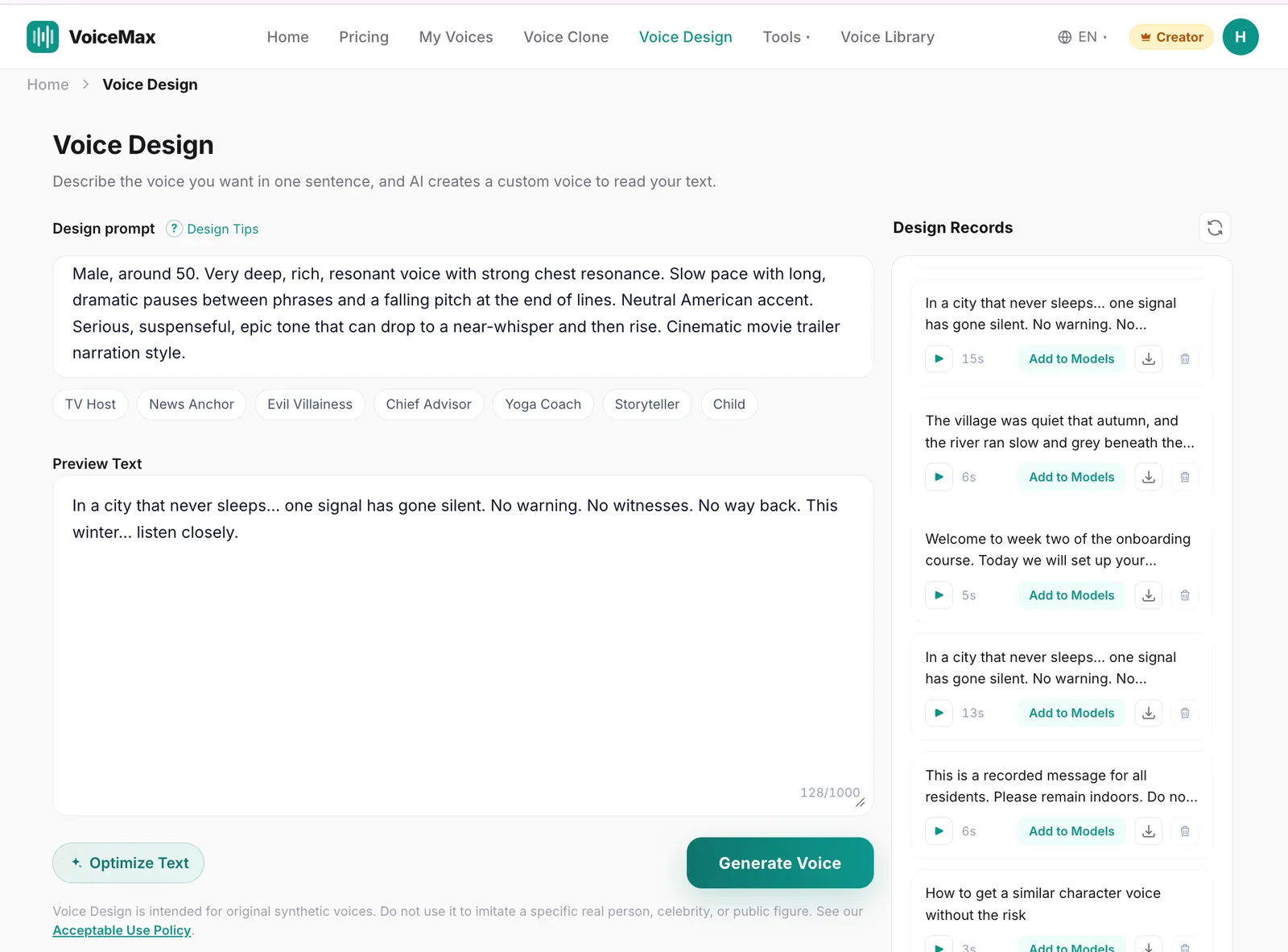
- Open Voice Design and paste one of the prompts above. Adjust age, gender, or accent to fit your project.
- Preview with a short line from your real script, not a generic sentence. Announcer styles only show up with the right rhythm.
- Regenerate until the energy matches. If play-by-play sounds calm, add "speeds up and gets louder at exciting moments." If the trailer voice sounds rushed, add "very slow, with long pauses."
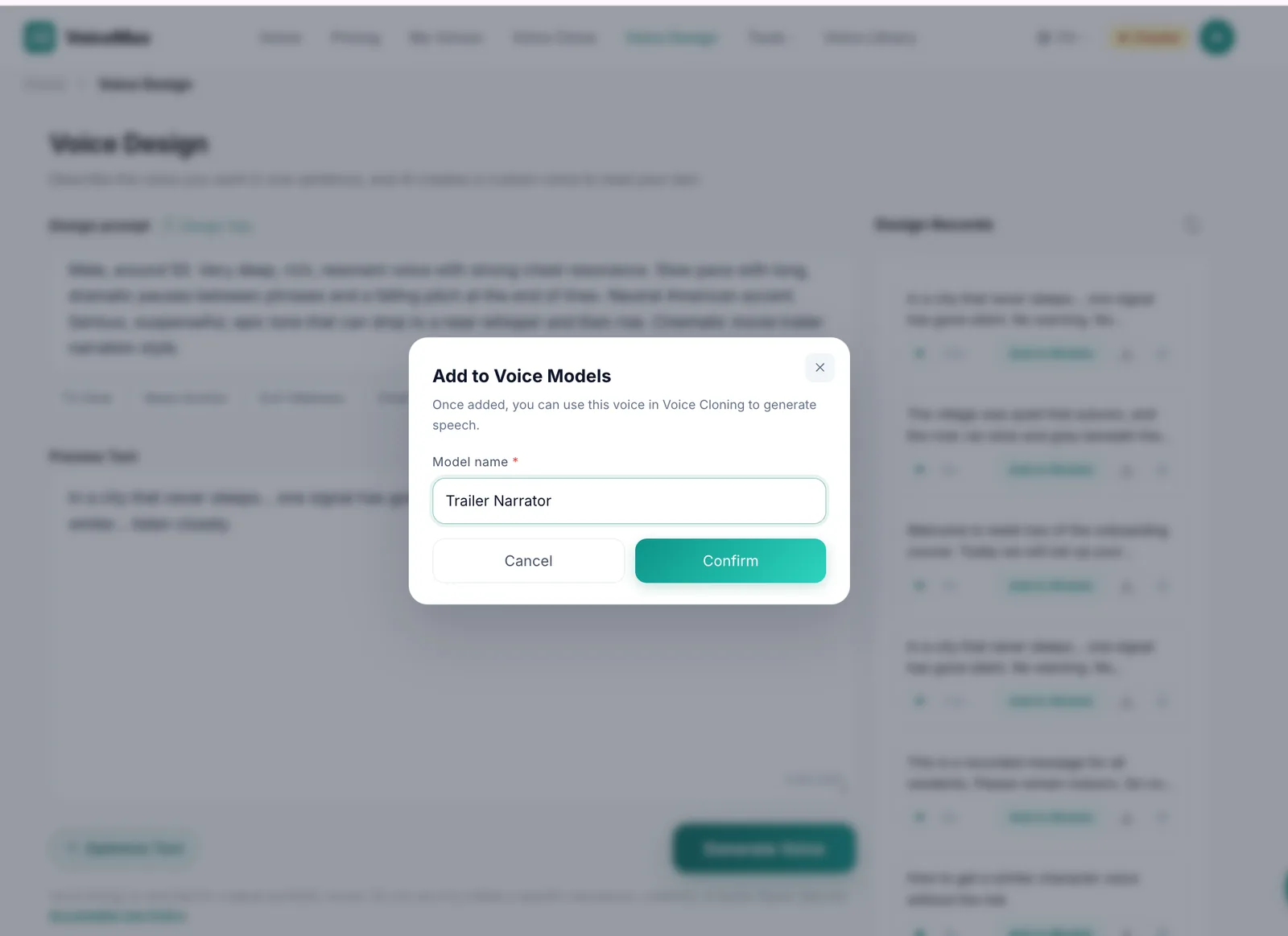
- Save the voice. Click "Add to Models" on a 5–30 second design result so you can reuse it.
- Generate long scripts with the saved voice. For anything longer than a short clip, generate from the saved model rather than the design preview for more stable results.
- Download MP3 or WAV. WAV is better if you plan to mix the voice with crowd noise, music beds, or sound effects.
Tuning tips by style
Small script changes usually fix delivery faster than regenerating the voice.
| Problem | Style | Fix |
|---|---|---|
| Sounds too calm | Sports | Shorter sentences; add a dash before the key action; one exclamation mark at the peak |
| Sounds robotic | News | Add commas where a person would breathe; spell out numbers and abbreviations |
| Sounds rushed | Trailer | Add ellipses and line breaks; cut filler words; lower the speed slightly |
| Energy never peaks | Sports | Write a calmer setup line before the peak so the contrast is audible |
| Sounds dramatic when it shouldn't | News | Remove adjectives like "shocking" or "massive"; use plain verbs |
| Voice drifts on long scripts | All | Save the designed voice and generate from the saved model in shorter sections |
If you have Creator-plan emotion control, you can push the sports voice toward "happy" or "surprised" for celebration lines and keep the news voice on "calm." Emotion settings are adjusted separately from the voice's timbre, so the announcer still sounds like the same person.
Mixing announcer audio into a video
Announcer voices sound more convincing once they sit inside a scene. A few simple mixing habits go a long way:
- Sports: layer a low crowd-noise bed under the voice and duck it slightly when the announcer speaks.
- News: keep the voice dry and clean; add a short intro sting rather than background music.
- Trailer: add a low drone or bass hit on the pauses, not under the words.
If your recording or downloaded clip has unwanted background noise, VoiceMax's AI noise removal can clean it before you mix.
Use announcer voices responsibly
Announcer formats are powerful because audiences instinctively trust them. Keep that trust intact:
- Use original, designed voices. Do not prompt for or clone a real commentator, anchor, or narrator without permission.
- Label fictional news segments clearly.
- Do not create clips that could be mistaken for real broadcasts or official announcements.
For more narration options beyond announcer formats, browse the narrator voices in the voice library.
Frequently asked questions
What is an AI announcer voice generator?
An AI announcer voice generator turns a script into speech that follows broadcast conventions such as play-by-play energy, steady news delivery, or slow trailer narration. With VoiceMax you can describe the announcer you want in Voice Design, preview it on your own script, save it, and generate full-length audio from the saved voice.
How do I make an AI voice sound like a sports commentator?
Prompt for a bright, energetic voice with a fast pace that speeds up during action and rising pitch on exciting phrases. Then write short, punchy sentences with one exclamation mark at the peak. The script's rhythm matters as much as the voice, so keep setup lines calm and save the loudest moment for the payoff.
What is the best pace for a news reporter voice?
Most news delivery sits around 150–170 words per minute, which sounds unhurried but efficient. Keep the speed setting near 1.0×, use complete factual sentences, and add commas where a presenter would breathe. These ranges are common voiceover rules of thumb, so adjust by ear for your audience and format.
How do I get the deep movie trailer voice effect?
Prompt for a very deep, resonant voice with a slow pace, long pauses, and falling pitch at the end of lines. Write the script in short fragments separated by ellipses or line breaks. If you prefer a ready-made option, start from the deep voices in the VoiceMax voice library and adjust from there.
Can I make an AI voice that sounds like a famous announcer?
No. VoiceMax Voice Design is for original synthetic voices, and imitating a specific real person, broadcaster, or public figure is not allowed under the Acceptable Use Policy. You can still capture the style you like by describing pace, pitch, energy, and accent instead of naming a person.
Can I use AI announcer voices commercially?
Yes, on a paid plan. Commercial rights start on the Starter plan and cover monetized videos, ads, podcasts, games, and client work. The Free plan is for personal use only. If you clone a voice instead of designing one, you must own or have permission to use the original recording.
Which languages can announcer voices speak?
VoiceMax supports 600+ languages, so you can generate announcer-style audio beyond English. Write the Voice Design prompt with the accent you need, such as neutral Latin American Spanish or British English, and preview it on a script in the target language before generating the full piece.