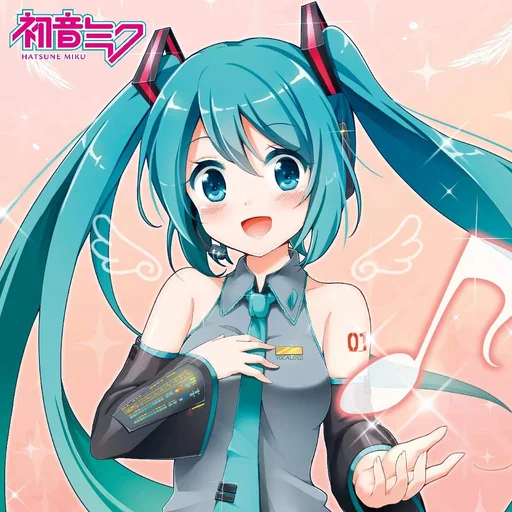
Hatsune Miku Voice Generator
With this Hatsune Miku voice generator, VoiceMax speaks any text in a high, crisp virtual-idol voice inspired by the famous Vocaloid. Enter what you want Miku to say, press Generate and grab the MP3 a few seconds later, free to try. Creators use it for fan videos, Vocaloid-style skits, stream alerts and memes.
Hatsune Miku AI voice on VoiceMax is an AI recreation for parody, commentary and fan content. VoiceMax is not affiliated with or endorsed by Crypton Future Media.
Listen to samples
Hatsune Miku AI Voice: Key Facts
| Voice style | Bright, youthful and upbeat, with a clean digital shimmer |
|---|---|
| Best for | Fan videos, Vocaloid-style shorts, stream alerts, memes |
| Languages | Character voice: 10 languages (English, Spanish, Japanese +7). Voice cloning: 600+ languages. |
| Output | MP3 download |
| Free to try | 10,000 characters per month |
| Generation time | 10 seconds for a 200-character line |
| Not for | Impersonation, scams, ads or anything presented as a real statement |
What Does Hatsune Miku Sound Like?
High and youthful, the Miku AI voice carries a polished digital shimmer on top of a cheerful female tone. Consonants are clean, the pitch rarely dips and short phrases bounce like a pop idol greeting the crowd. Rather than singing, it captures the character chatting with fans between songs on stage.
Who Is Hatsune Miku?
Crypton Future Media released Hatsune Miku in 2007 as a voicebank for Yamaha's Vocaloid singing synthesizer, built from recordings of voice actress Saki Fujita. Recognizable by her long teal twin tails, Miku grew into a worldwide virtual star who performs as a hologram in concerts and appears in an enormous catalog of fan-produced songs.
Miku Voice Changer
Skip the Vocaloid setup: type Miku's line, generate it and download the file. It is the fastest route to dubbing a fan animation or slipping a few spoken Miku lines into a video edit.
Miku Text to Speech (Miku TTS)
Miku TTS fits subtitles, character dialogue and stream alerts. Both Japanese and English text work, and English keeps the bright, faintly synthetic tone. Spoken birthday greetings for Vocaloid fans are another popular use of Hatsune Miku text to speech.
Miku AI Voice vs. Vocaloid
Vocaloid needs notes and lyrics because it is built to sing. This AI voice speaks instead, reading any text immediately with no melody required. Plenty of producers combine the two, letting Vocaloid handle the song and AI speech handle intros, skits and spoken parts.
Hatsune Miku Voice Lines & Script Ideas
Fan videos
- “Hi everyone, it's Miku! Thank you for coming to the show!”
- “Let's sing together — one, two, three!”
Streams
- “New follower! Welcome to the stage!”
- “Thank you for the support! Miku loves you!”
Birthday
- “Happy birthday! Here's a song just for you... after this message.”
How to Make a Hatsune Miku AI Voice
- Add your script — Type or paste up to 5,000 characters per generation (500 on the Free plan), or start from a script idea above.
- Click Generate — In about 10 seconds the Hatsune Miku AI voice reads it back.
- Export — Preview the take and save the MP3 for your edit, stream or soundboard.
Best Ways to Use the Hatsune Miku AI Voice
- Fan videos and animations
- Vocaloid-themed shorts and skits
- Stream alerts and overlays
- Birthday greetings for Vocaloid fans
Related Voices

Kasane Teto AI Voice
Lively virtual-singer voice with twin-drill attitude

Gojo Satoru AI Voice
Laid-back, teasing anime voice with overwhelming confidence

Jinx AI Voice
Gleeful, chaotic voice with a dangerous giggle

Goku AI Voice
Upbeat anime hero who lives for the next fight

Siri AI Voice
Crisp, courteous voice-assistant delivery

Taylor Swift AI Voice
Bright, friendly pop-star speaking voice
Hatsune Miku AI Voice FAQ
How do I make a Hatsune Miku AI voice?
Is this the same as Vocaloid?
Is there a Miku filter for my real voice?
Is the Miku voice generator free?
Can I use the Hatsune Miku AI voice commercially?
Is this the official Hatsune Miku voice?
Can the Miku AI voice sing songs?
Does the Miku voice generator work in Japanese?
How can I make the Miku voice sound more energetic?
Can I use the Miku voice for Twitch or YouTube stream alerts?
Is this Saki Fujita's real voice?
What file format does the Miku voice download in?
Try More AI Voices
Browse every celebrity and character voice and find the right one for your next clip.