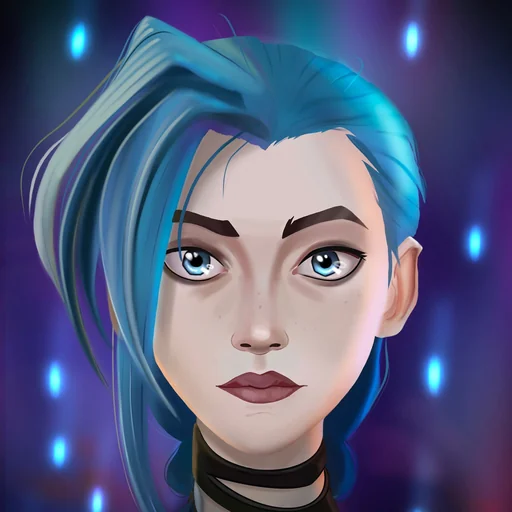
Jinx AI Voice Changer Online
Use this Jinx online AI voice changer to hear any line in a gleeful, manic, slightly unhinged voice modelled on Jinx from League of Legends and Arcane. Write the text, click Generate and an MP3 is ready in seconds, free to try. It is a natural fit for Arcane edits, League clips, memes and soundboards.
Jinx AI voice on VoiceMax is an AI recreation for parody, commentary and fan content. VoiceMax is not affiliated with or endorsed by Riot Games or Netflix.
Listen to samples
Jinx AI Voice: Key Facts
| Voice style | High, bright and unpredictable, jumping between giggles and yells |
|---|---|
| Best for | Arcane fan edits, League of Legends clips, soundboards, memes |
| Languages | Character voice: 10 languages (English, Spanish, Japanese +7). Voice cloning: 600+ languages. |
| Output | MP3 download |
| Free to try | 10,000 characters per month |
| Generation time | 10 seconds for a 200-character line |
| Not for | Impersonation, scams, ads or anything presented as a real statement |
What Does Jinx Sound Like?
Expect chaos from the Jinx AI voice: a young female voice that can go from a sing-song taunt to a giggle, a whispered threat and a full shout inside one sentence. Her pitch bounces, she drags out words just for fun, and everything has a sharp, mischievous bite. Anything that should sound joyfully out of control is a good match.
Who Is Jinx?
Jinx is a League of Legends champion from Riot Games: a reckless criminal from the undercity of Zaun with a passion for explosives. Netflix's animated series Arcane, released in 2021, explored her origin story, with Ella Purnell voicing her in English, and the show turned her into one of the most recognisable characters in games and animation.
Use the Jinx AI Voice Online
Everything happens in the browser, so the Jinx AI voice needs no installs or setup. Enter a line, generate it and save the MP3. To capture her mood swings, alternate quiet lowercase phrases with CAPS outbursts and drop in a "hehe" or "ha!".
Arcane Jinx AI for Fan Edits
Fan edits, AMVs and character-breakdown videos all benefit from Arcane Jinx AI lines. Create one line at a time, download each clip and align it with your footage, whether the scene calls for drama or pure chaos.
Make Jinx Soundboard Clips
For a Jinx soundboard, keep each taunt between one and three seconds long. Save the MP3s and import them into Discord, a Stream Deck or any soundboard app you use.
Jinx Voice Lines & Script Ideas
Taunts
- “Hey, wanna see something really loud? Hehehe!”
- “Rules? Never heard of 'em!”
Gaming
- “Pentakill? Oh, I'm just getting started!”
- “Oops. Was that your tower? My bad. Not sorry.”
Edits
- “I'm not crazy. I just have very loud ideas.”
Streams
- “Ooh, new follower! Let's blow something up to celebrate!”
How to Make a Jinx AI Voice
- Choose your words — Use one of the ready-made Jinx lines or write your own (5,000 characters max; 500 on Free).
- Render the clip — Press Generate and wait roughly 10 seconds.
- Grab the file — Play it, try another take if needed, then download the MP3.
Best Ways to Use the Jinx AI Voice
- Fan edits for Arcane and League of Legends
- Stream alerts and gaming clips
- Discord soundboard sounds
- Character skits and memes
Related Voices

Gojo Satoru AI Voice
Laid-back, teasing anime voice with overwhelming confidence
Hatsune Miku AI Voice
Crisp, high-pitched virtual-idol speaking voice
Kasane Teto AI Voice
Lively virtual-singer voice with twin-drill attitude

Sonic AI Voice
Quick-talking, cocky hero voice that never slows down
Pennywise AI Voice
Sing-song horror clown that lures, then growls

Goku AI Voice
Upbeat anime hero who lives for the next fight
Jinx AI Voice FAQ
How do I make a Jinx AI voice?
Is the Jinx voice changer online and free?
How do I do a Jinx voice impression myself?
Is this the Arcane or the League of Legends Jinx?
What kind of lines sound most like Jinx?
Can I use Jinx AI voice clips on Discord?
Can I use the Jinx voice in TikTok or YouTube edits?
How long can a Jinx AI clip be?
What audio formats can I download the Jinx voice in?
Can the Jinx AI voice speak other languages?
Can I use the Jinx AI voice commercially?
Is this the official Jinx voice?
Try More AI Voices
Browse every celebrity and character voice and find the right one for your next clip.