Siri Voice Generator
With this Siri voice generator, any sentence you type comes back in the crisp, courteous voice-assistant tone associated with Siri. VoiceMax creates the audio in seconds, you download the MP3, and you can start for free. Use it for videos, pranks, custom phone alerts or memes.
Siri AI voice on VoiceMax is an AI recreation for parody, commentary and fan content. VoiceMax is not affiliated with or endorsed by Apple.
Listen to samples
Siri AI Voice: Key Facts
| Voice style | Neutral, friendly female assistant voice with tidy, even pacing |
|---|---|
| Best for | Prank clips, custom alert sounds, memes and short videos |
| Languages | Character voice: 10 languages (English, Spanish, Japanese +7). Voice cloning: 600+ languages. |
| Output | MP3 download |
| Free to try | 10,000 characters per month |
| Generation time | 10 seconds for a 200-character line |
| Not for | Impersonation, scams, ads or anything presented as a real statement |
What Does Siri Sound Like?
Clear, pleasant and evenly paced, the Siri AI voice speaks with a neutral American accent and never gets flustered. Sentences end neatly, the tone is helpful but a little formal, and emotion stays flat: exactly how a phone sounds when it answers a question. Because nothing in the delivery hints at a joke, absurd or cheeky lines hit even harder.
What Is Siri?
Siri is the voice assistant Apple launched alongside the iPhone 4S in 2011. Voice actor Susan Bennett recorded the original U.S. English voice, and Apple later switched to newer synthetic voices. Today Siri offers multiple voices and accents, though the classic assistant sound remains the one most people know.
Make Siri Say Anything
Whether it's a prank, a birthday greeting or a punchline, you can make Siri say anything: type it, generate it and play the MP3 from your phone. The result sounds like a genuine assistant reply, which is exactly what "Siri, what's my future?" videos need.
Siri Voice Creator & Voice Modifier
No phone settings are involved with this Siri voice creator: you provide the words and VoiceMax produces the audio. If you were hunting for a Siri voice modifier to change what Siri says on your device, generating a clip here is simpler, and the file works anywhere.
Siri Text to Speech for Videos and Alerts
Siri text to speech suits YouTube narration, tutorial voiceovers and personalized notification tones. Create brief alerts such as "You have a new message" and set them as a ringtone or app sound.
Siri Voice Lines & Script Ideas
Pranks
- “I'm sorry, I can't help with that. You'll have to do the dishes yourself.”
- “Here's what I found on the web for: why is my brother like this.”
Alerts
- “You have one new message. It's probably your mom.”
- “Reminder: drink water. And maybe go outside.”
Video narration
- “Here's how to set up your new phone in three easy steps.”
Birthday
- “Happy birthday! I've added cake to your calendar for today.”
How to Make a Siri AI Voice
- Choose your words — Use one of the ready-made Siri lines or write your own (5,000 characters max; 500 on Free).
- Render the clip — Press Generate and wait roughly 10 seconds.
- Grab the file — Play it, try another take if needed, then download the MP3.
Best Ways to Use the Siri AI Voice
- Prank and comedy videos
- Personalized ringtones and alert tones
- Tutorial and explainer voiceovers
- Birthday wishes and voice notes
Related Voices
JARVIS AI Voice
Composed British AI-butler voice, precise and unhurried
GLaDOS AI Voice
Politely menacing AI voice with a processed, robotic shimmer

Stephen Hawking AI Voice
The flat, robotic sound of a 1980s speech synthesizer
Speak & Spell AI Voice
Crunchy, lo-fi talking-toy voice straight from 1978
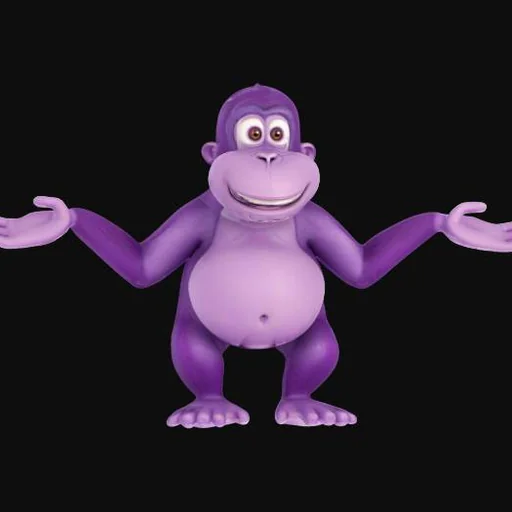
Bonzi Buddy AI Voice
Chirpy robotic voice of the early-2000s desktop gorilla

Adam AI Voice
The deep, even-paced narrator heard all over Shorts and TikTok
Siri AI Voice FAQ
How do I make Siri say anything?
Can I change Siri's voice on my iPhone?
Can I use the Siri voice as a ringtone or alert?
Is there a British Siri voice?
What kind of scripts work best with the Siri voice?
How do I prank someone with the Siri voice?
How long can a Siri voice clip be?
Can I use the Siri voice for YouTube narration?
Can I create my own voice-assistant voice for an app?
Is the Siri AI voice generator free?
Can I use the Siri AI voice commercially?
Is this the official Siri voice?
Try More AI Voices
Browse every celebrity and character voice and find the right one for your next clip.