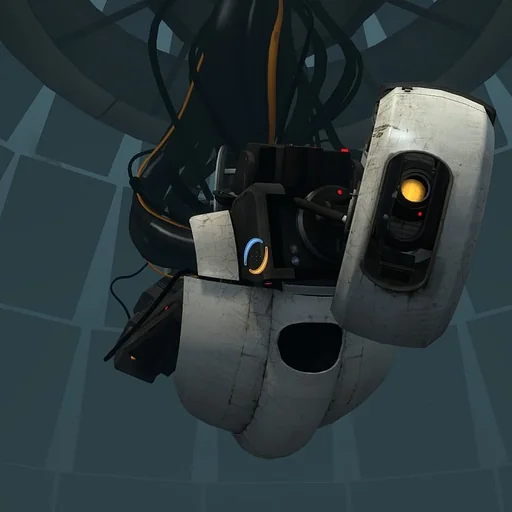
GLaDOS Voice Generator
Our GLaDOS voice generator delivers your text in an icy, sarcastic, machine-processed female voice modeled on the AI from Portal. Enter a line, press Generate, and download the MP3 a few seconds later, free to start. It is a favorite for smart-home notifications, Portal fan projects, memes and game mods.
GLaDOS AI voice on VoiceMax is an AI recreation for parody, commentary and fan content. VoiceMax is not affiliated with or endorsed by Valve.
Listen to samples
GLaDOS AI Voice: Key Facts
| Voice style | Composed, frosty female AI with sarcastic timing and a processed, pitch-corrected sheen |
|---|---|
| Best for | Smart-home notifications, Portal fan projects, memes, game mods |
| Languages | Character voice: 10 languages (English, Spanish, Japanese +7). Voice cloning: 600+ languages. |
| Output | MP3 download |
| Free to try | 10,000 characters per month |
| Generation time | 10 seconds for a 200-character line |
| Not for | Impersonation, scams, ads or anything presented as a real statement |
What Does GLaDOS Sound Like?
On the surface, this voice is calm, courteous and almost soothing. Underneath, there is a cold digital polish and an odd, pitch-corrected wobble that lands on unexpected syllables. The words stay pleasant while the meaning turns quietly hostile ("You're doing great. For a human."). That contrast between customer-service manners and test-chamber menace is exactly why people quote GLaDOS.
Who Is GLaDOS?
GLaDOS is the AI in charge of the Aperture Science Enrichment Center in Valve's Portal (2007) and its 2011 sequel Portal 2. Ellen McLain performed the role, and her recordings were heavily processed to sound synthetic. Dry put-downs and an endlessly promised cake have made GLaDOS one of the most loved antagonists in video games.
GLaDOS Voice for Smart Homes
Home Assistant users love giving their house a GLaDOS personality: "The front door has been opened. Again." Write one line per event, generate them here, download the MP3 files, and assign each one as the sound for that notification or automation.
GLaDOS TTS and Text to Speech
Drop any sentence into GLaDOS TTS and it returns in that frosty, synthetic register. The most convincing scripts start out courteous and end with a small insult — the twist in the final clause is where the character really shows.
GLaDOS Voice Synthesizer for Mods and Fan Content
Building custom test chambers, a Portal fan film or a full mod? This GLaDOS voice synthesizer lets you voice every announcement from a script, so you can iterate on lines as fast as you rewrite them instead of booking recording sessions.
GLaDOS Voice Lines & Script Ideas
Smart home
- “Good morning. The coffee is ready. You, on the other hand, are not.”
- “The front door has been opened. I'm sure it was very important.”
Memes
- “Congratulations. You have successfully done the bare minimum.”
- “This is your fault. I'm not going to explain why.”
Test chambers
- “Please proceed to the next test chamber. Try not to fall this time.”
How to Make a GLaDOS AI Voice
- Type your script — Enter or paste the text you want GLaDOS to say (up to 5,000 characters per generation, 500 on the Free plan), or click "Use this line" on any script idea above.
- Generate — Click Generate. The GLaDOS AI voice reads your text in about 10 seconds for a 200-character line.
- Download — Listen to the preview, then download the MP3 file for TikTok, YouTube, Discord or any video editor.
Best Ways to Use the GLaDOS AI Voice
- Smart-home, PC and phone notifications
- Portal fan films, mods and custom test chambers
- Deadpan sarcastic memes
- A desktop or voice-assistant personality
Related Voices
JARVIS AI Voice
Composed British AI-butler voice, precise and unhurried

Siri AI Voice
Crisp, courteous voice-assistant delivery

Stephen Hawking AI Voice
The flat, robotic sound of a 1980s speech synthesizer

Bonzi Buddy AI Voice
Chirpy robotic voice of the early-2000s desktop gorilla

Freddy Fazbear AI Voice
Low, glitchy animatronic voice for horror

Optimus Prime AI Voice
Dignified, deep Autobot-commander voice
GLaDOS AI Voice FAQ
How do I get a GLaDOS voice for my smart home?
How do I make a GLaDOS AI voice?
Does the GLaDOS voice sound autotuned like in Portal?
What lines work best for a GLaDOS voice?
Can I use the GLaDOS voice in a Portal mod or fan film?
How long can a GLaDOS voice clip be?
What format are GLaDOS clips downloaded in?
Can I use the GLaDOS voice on Discord or Twitch?
Can I type GLaDOS lines in other languages?
Is the GLaDOS voice generator free?
Can I use the GLaDOS AI voice commercially?
Is this the official GLaDOS voice?
Try More AI Voices
Browse every celebrity and character voice and find the right one for your next clip.