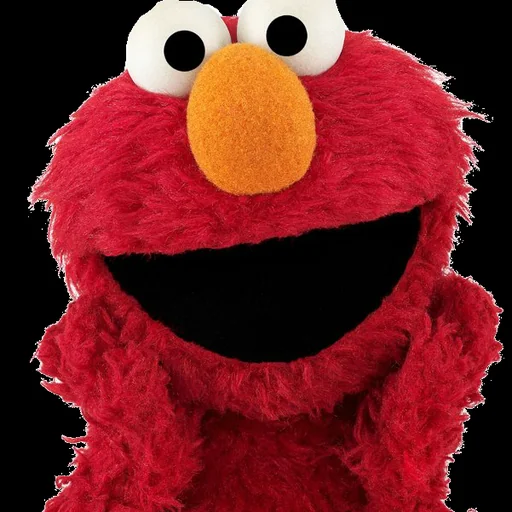
Elmo Voice Generator
This Elmo voice generator speaks your words in a soft, high-pitched, giggle-filled voice modeled on Sesame Street's Elmo, third-person phrasing and all. Write a line, hit Generate and save the MP3 a few seconds later; trying it costs nothing. Families use it for birthday greetings and home videos, and meme makers love it for chaotic jokes.
Elmo AI voice on VoiceMax is an AI recreation for parody, commentary and fan content. VoiceMax is not affiliated with or endorsed by Sesame Workshop.
Listen to samples
Elmo AI Voice: Key Facts
| Voice style | High-pitched, gentle and bubbly, with a preschooler's sense of wonder |
|---|---|
| Best for | Birthday greetings, family videos, wholesome or chaotic memes |
| Languages | Character voice: 10 languages (English, Spanish, Japanese +7). Voice cloning: 600+ languages. |
| Output | MP3 download |
| Free to try | 10,000 characters per month |
| Generation time | 10 seconds for a 200-character line |
| Not for | Impersonation, scams, ads or anything presented as a real statement |
What Does Elmo Sound Like?
Every line from the Elmo AI voice carries the excitement of a three-and-a-half-year-old: high, soft and ready to burst into giggles. Elmo refers to himself by name ("Elmo loves you!"), draws out happy words and laughs at the smallest thing. That innocence is perfect for children's content, and it becomes very funny when the script heads somewhere a preschooler never would.
Who Is Elmo?
Elmo is the fuzzy red monster Muppet of Sesame Street, recognized everywhere for his high giggle and his habit of speaking about himself in the third person. Kevin Clash performed him from 1985 until 2012, and Ryan Dillon has performed him since 2013. He remains among the most loved characters in children's television.
Elmo AI Voice for Kids and Families
Parents reach for the Elmo AI voice for birthday shout-outs, potty-training songs and bedtime countdowns. Phrase everything the way Elmo would ("Elmo is proud of you!") and the result sounds far more like the character.
Elmo Voice Changer & Voice Converter
Looking for an Elmo voice changer or Elmo voice converter? Skip the microphone and real-time filters: type what you want Elmo to say, generate it, and download a clean MP3 ready to use.
Elmo Soundboard Clips
To build an Elmo soundboard, create a set of short clips such as giggles, hellos and catchphrases, save each MP3 and import the batch into any soundboard app.
Elmo Voice Lines & Script Ideas
Kids & family
- “Hi! Elmo wants to say happy birthday! Elmo loves you!”
- “Elmo brushed his teeth! Now it's your turn!”
Memes
- “Elmo knows what you did.”
- “Elmo is not mad. Elmo is just disappointed.”
Greetings
- “Good morning! Elmo is so happy to see you! Hehehe!”
How to Make a Elmo AI Voice
- Choose your words — Use one of the ready-made Elmo lines or write your own (5,000 characters max; 500 on Free).
- Render the clip — Press Generate and wait roughly 10 seconds.
- Grab the file — Play it, try another take if needed, then download the MP3.
Best Ways to Use the Elmo AI Voice
- Birthday greetings and party invitations for kids
- Bedtime, tooth-brushing and routine reminders
- Elmo memes, wholesome or chaotic
- Voice notes for family group chats
Related Voices

Mickey Mouse AI Voice
Sunny cartoon falsetto with that famous laugh

Goofy AI Voice
A lovable, bumbling cartoon dog with a famous laugh

SpongeBob AI Voice
Squeaky, endlessly optimistic cartoon voice with a famous laugh
The Grinch AI Voice
Sneering, grumpy Christmas grouch voice

The Loud House AI Voice
Peppy cartoon kid voice that talks straight to the camera
My Little Pony AI Voice
Bright, sweet pony voices for fan projects
Elmo AI Voice FAQ
How do I make an Elmo AI voice?
How do you do an Elmo voice yourself?
Is the Elmo voice good for kids' videos?
What should I write to make the voice sound more like Elmo?
How many characters can the Elmo voice read at once?
Can I send an Elmo voice message on WhatsApp or iMessage?
Can I put the Elmo voice in a TikTok or YouTube video?
Can the Elmo voice speak other languages?
Can I use the Elmo voice for a children's app or product?
Is the Elmo AI voice generator free?
Can I use the Elmo AI voice commercially?
Is this the official Elmo voice?
Try More AI Voices
Browse every celebrity and character voice and find the right one for your next clip.