VoiceMax
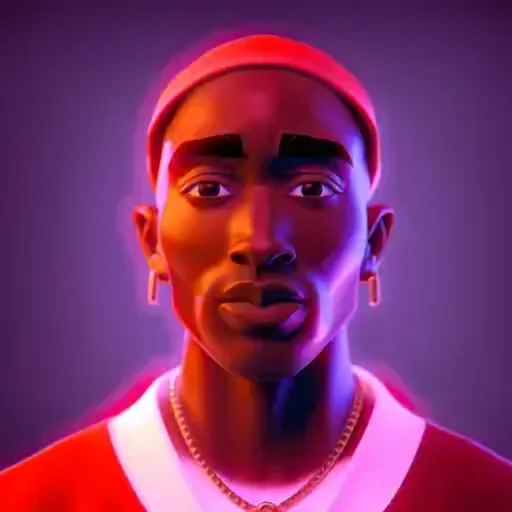
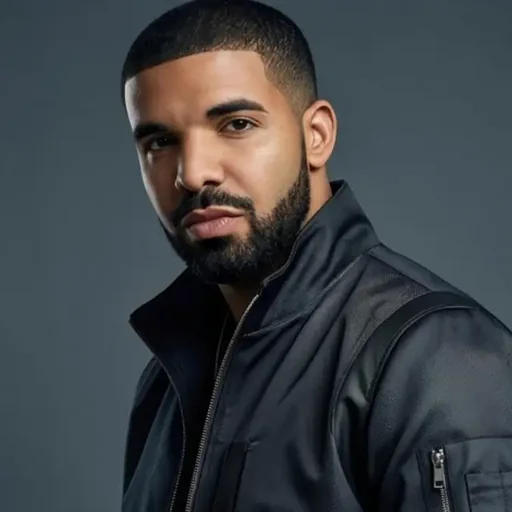
Illustrated portrait for the Drake AI voice generator

Drake AI Voice Generator

Our Drake AI voice speaks your words with the relaxed, low-key, half-melodic flow associated with the Toronto artist. Write a line, hit Generate and save an MP3 a few seconds later, with no cost to try. It is made for meme captions, late-night mood edits and parody clips.

Drake AI voice on VoiceMax is an AI recreation for parody, commentary and fan content. VoiceMax is not affiliated with or endorsed by Drake.

Listen to samples

“Quiet night, city lights, thinking about everybody who stayed down from day one.”
“Late night, phone on five percent, still replying to the group chat.”
“No new friends. Just new group chats.”

Drake AI Voice: Key Facts

Voice styleMellow and smooth, half-sung phrasing, quietly confident
Best forMeme captions, mood edits, parody shout-outs
LanguagesCharacter voice: 10 languages (English, Spanish, Japanese +7). Voice cloning: 600+ languages.
OutputMP3 download
Free to try10,000 characters per month
Generation time10 seconds for a 200-character line
Not forImpersonation, scams, ads or anything presented as a real statement

What Does Drake Sound Like?

This Drake AI voice is a soft, mellow male voice whose phrasing drifts between talking and singing. It manages to sound reflective and self-assured at once, letting line endings fade gently and adding a light Toronto flavour to certain words. Feelings-heavy captions and 2 a.m. thoughts suit it far better than loud hype lines.

Who Is Drake?

Drake is a rapper, singer and songwriter from Toronto, Canada. He became one of the defining artists of the streaming era by mixing rap verses with melodic R&B hooks on songs like Hotline Bling and God's Plan, and he ranks among the best-selling musicians of his generation.

Drake Voice Lines & Script Ideas

Captions

  • “Quiet night, city lights, thinking about everybody who stayed down from day one.”
  • “Late night, phone on five percent, still replying to the group chat.”

Memes

  • “No new friends. Just new group chats.”

How to Make a Drake AI Voice

  1. Choose your words — Use one of the ready-made Drake lines or write your own (5,000 characters max; 500 on Free).
  2. Render the clip — Press Generate and wait roughly 10 seconds.
  3. Grab the file — Play it, try another take if needed, then download the MP3.

Best Ways to Use the Drake AI Voice

  • Reaction clips and meme captions
  • Moody late-night edits
  • Parody shout-outs for friends

Related Voices
Drake AI Voice FAQ

How do I make a Drake AI voice?
Type your line into the text box, leave the Drake voice selected and press Generate; the MP3 is ready within seconds. Short, introspective sentences give the most convincing result, for example a one-line caption about late nights or loyalty. Longer scripts work too, but the laid-back cadence lands best in lines under about 15 words.
Can the Drake AI voice sing?
No, the Drake AI voice is a speaking voice, so it will not perform a full song with melody and timing. Its delivery does have a melodic, half-sung cadence, which means sing-song captions and rhythmic one-liners come out sounding musical. For actual songs, pair the spoken lines with a beat in your audio editor.
What kind of lines sound most like Drake?
Reflective, slightly emotional lines sound most like Drake. Think captions about city nights, old friends, loyalty or a phone at 5 percent battery. Plain conversational wording with few exclamation marks keeps the voice relaxed; heavy punctuation and shouting pull it away from the mellow tone that defines the style.
Can I use the Drake AI voice for TikTok and Instagram Reels?
Yes, the Drake AI voice works well for TikTok and Instagram Reels as meme or parody audio. Generate the line, download the MP3 and add it as a voiceover in CapCut, TikTok's editor or Instagram's editor. Labeling the clip as AI-generated parody is a good practice and matches most platforms' rules on synthetic media.
How long can a Drake AI voice clip be?
A single generation can be up to 5,000 characters, 500 on the Free plan, which covers several sentences of speech. On the free plan the limit is 500 characters per generation and 10,000 characters per month. For a longer parody verse, generate it in parts and join the clips in your editor.
What file format does the Drake voice download as?
Drake voice clips download as MP3 files. MP3 files are small and import directly into mobile editors, Discord and most video apps.
Can the Drake AI voice speak other languages?
Yes, you can type text in 10 languages, including English, Spanish, Japanese and Chinese and the Drake-style voice will read it. The smooth, mellow timbre stays the same across languages, while English gives the delivery fans recognise most. Write the text natively in the target language rather than mixing languages in one sentence for the cleanest pronunciation.
Can I use the Drake AI voice on my phone?
Yes, the Drake AI voice runs in any modern mobile browser on iPhone or Android, with no app to install. Enter your line, tap Generate and the MP3 saves to your phone in a few seconds. You can then open it directly in CapCut, TikTok or a voice-note app.
Can I clone my own voice instead of using the Drake voice?
Yes, VoiceMax supports voice cloning from a 5–30 second recording of your own voice. A cloned voice is yours, so unlike the Drake-style voice it can be used for commercial projects on a paid plan, which starts at $4.9 per month. Cloning is the right route for music promos, ads or branded content.
Is the Drake AI voice generator free?
Yes. The free tier covers 10,000 characters a month and doesn't ask for a card. Paid plans start at $4.90/month and add longer scripts per generation plus faster processing. The free tier is enough to test the Drake voice on several meme captions each month and download every result as an MP3.
Can I use the Drake AI voice commercially?
No. Celebrity-style voices such as this Drake AI voice are limited to parody, memes, commentary and fan content. Advertising, products and client work require a voice you hold rights to — an original voice from the VoiceMax library or a clone of your own voice, both covered by the commercial license on paid plans.
Is this the official Drake voice?
No. This is an AI voice modeled on Drake's publicly known speaking style, not a recording of Drake and not an official product. VoiceMax has no affiliation with Drake or his labels, and he has not endorsed this voice. Treat every clip you make as clearly labelled parody or fan content.

Try More AI Voices

Browse every celebrity and character voice and find the right one for your next clip.

Contact support