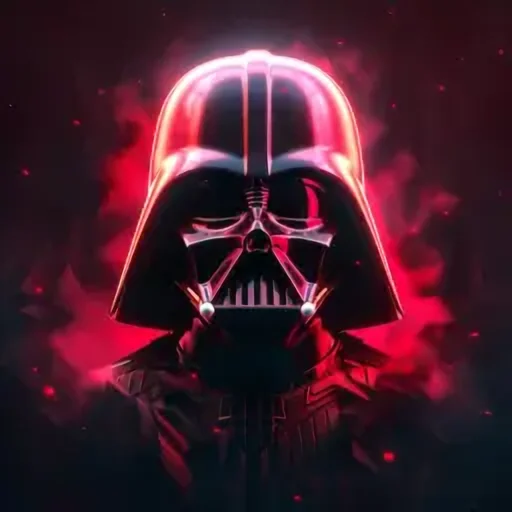
Darth Vader Voice Changer & AI Voice Generator
With the VoiceMax Darth Vader voice changer, whatever you type comes back as a slow, low, commanding Sith-lord delivery. Write the line, press Generate, and a downloadable MP3 is ready a few seconds later — you can start on the free plan. Fans use it for Star Wars parodies, cosplay soundtracks, party announcements and gaming clips.
Darth Vader AI voice on VoiceMax is an AI recreation for parody, commentary and fan content. VoiceMax is not affiliated with or endorsed by Lucasfilm or Disney.
Listen to samples
Darth Vader AI Voice: Key Facts
| Voice style | Bottomless bass, unhurried and threatening, with a faint mechanical mask effect |
|---|---|
| Best for | Star Wars parodies, cosplay audio, party intros, gaming clips |
| Languages | Character voice: 10 languages (English, Spanish, Japanese +7). Voice cloning: 600+ languages. |
| Output | MP3 download |
| Free to try | 10,000 characters per month |
| Generation time | 10 seconds for a 200-character line |
| Not for | Impersonation, scams, ads or anything presented as a real statement |
What Does Darth Vader Sound Like?
Picture a voice pitched about as low as speech goes, moving at a deliberate crawl and leaving long silences between phrases. Over the top sits a light filtered, mask-like texture, so each sentence sounds like it is being issued from inside a helmet. Nothing is ever a suggestion in this voice — even "please do the dishes" comes out as a command from the Empire.
Who Is Darth Vader?
Darth Vader is the masked Sith lord at the center of the original Star Wars trilogy, which began in 1977. David Prowse wore the suit on set, and James Earl Jones supplied the voice audiences remember. Between the rasping respirator and that heavy, measured speech, Vader has become the movie villain people impersonate more than any other.
Darth Vader Voice Generator
Getting a line out of the Darth Vader voice generator takes three steps: write it, generate it, download it. Clipped, declarative sentences come out closest to the films. To build tension, put an ellipsis just before the punchline word ("I am... your accountant") and the voice will hold the pause for you.
Darth Vader Voice Modulator Effect
If you came here looking for a Darth Vader voice modulator or voice modifier, the generated audio already carries a light helmet coloring. Want it heavier? In any audio editor, roll off the highs with a low-pass filter, add a small amount of reverb, and drop a respirator breath sound between sentences.
Darth Vader Text to Speech for Cosplay and Events
Planning a costume or a themed party? Darth Vader text to speech lets you script everything ahead of time: grand entrances, birthday "threats", lines for convention photo ops. Save each MP3 to your phone, pair it with a compact speaker tucked inside the costume, and trigger lines on cue.
Darth Vader Voice Lines & Script Ideas
Parody
- “I find your lack of snacks disturbing.”
- “You underestimate the power of a fully charged phone.”
Party & events
- “Happy birthday. The Empire demands that you eat cake.”
- “Welcome, guests. The dance floor is now under Imperial control.”
Gaming
- “Your aim is weak. Join the dark side, and respawn stronger.”
Daily life
- “The dishes will be done. That is not a request.”
- “I sense the presence of a forgotten password.”
How to Make a Darth Vader AI Voice
- Add your script — Type or paste up to 5,000 characters per generation (500 on the Free plan), or start from a script idea above.
- Click Generate — In about 10 seconds the Darth Vader AI voice reads it back.
- Export — Preview the take and save the MP3 for your edit, stream or soundboard.
Best Ways to Use the Darth Vader AI Voice
- Star Wars parody sketches and fan films
- Pre-recorded cosplay lines for conventions
- Birthday and party announcements with an Imperial twist
- Gaming highlights, Discord bots and stream alerts
Related Voices
Yoda AI Voice
A croaky, centuries-old Jedi voice with inverted grammar
James Earl Jones AI Voice
Booming, stately bass for narration that commands the room
Optimus Prime AI Voice
Dignified, deep Autobot-commander voice
JARVIS AI Voice
Composed British AI-butler voice, precise and unhurried
Mortal Kombat Announcer AI Voice
Booming fighting-game announcer with a menacing edge
Movie Trailer Voice AI Voice
Blockbuster "In a world..." narrator with gravel and gravitas
Darth Vader AI Voice FAQ
How do I make a Darth Vader voice?
Is this a real-time Darth Vader voice changer?
How do I get the Darth Vader voice modulator sound?
Can I use the Darth Vader voice for a Star Wars cosplay?
What kind of script sounds best in the Darth Vader voice?
How long can a Darth Vader voice clip be?
What file format do Darth Vader clips download in?
Can I use Darth Vader voice clips on TikTok, YouTube or Discord?
Does the Darth Vader AI voice work on a phone?
Is the Darth Vader AI voice generator free?
Can I use the Darth Vader AI voice commercially?
Is this the official Darth Vader voice?
Try More AI Voices
Browse every celebrity and character voice and find the right one for your next clip.