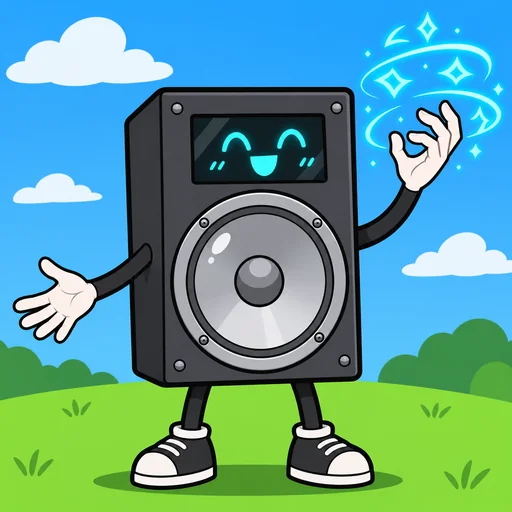
Announcer BFDI AI Voice
The announcer BFDI voice on VoiceMax turns typed text into a loud, flat game-show host delivery modeled on the Battle for Dream Island speaker box. Write a challenge or an elimination, press Generate, and a downloadable MP3 is ready a few seconds later. It costs nothing to try and suits object-show episodes, vote reveals and meme clips.
BFDI Announcer AI voice on VoiceMax is an AI recreation for parody, commentary and fan content. VoiceMax is not affiliated with or endorsed by jacknjellify or Battle for Dream Island.
Listen to samples
BFDI Announcer AI Voice: Key Facts
| Voice style | Low, loud and completely straight-faced, as if broadcast from a speaker box |
|---|---|
| Best for | Object-show episodes, vote reveals, meme clips |
| Languages | Character voice: 10 languages (English, Spanish, Japanese +7). Voice cloning: 600+ languages. |
| Output | MP3 download |
| Free to try | 10,000 characters per month |
| Generation time | 10 seconds for a 200-character line |
| Not for | Impersonation, scams, ads or anything presented as a real statement |
What Does BFDI Announcer Sound Like?
Expect a low, resonant male voice that never cracks a smile. Every sentence lands with the same flat seriousness, and a faint speaker-box grit sits on top of the tone. Because the delivery stays dead serious while the content is ridiculous, the humor comes from the contrast. Brief statements ending in a full stop capture the character most closely.
Who Is the Announcer in Battle for Dream Island?
Battle for Dream Island, usually shortened to BFDI, is an object-show web series that brothers Cary and Michael Huang started on YouTube in 2010. Its host is the Announcer, a speaker box who sets the challenges, reads the vote counts and sends contestants home. The show went on to spark a large community of fan-made object shows.
Battle for Dream Island Announcer Voice for Your Episodes
Need a host for challenge openers, vote tallies or elimination ceremonies in your own object show? Voice each announcement as its own clip so every line can be lined up with the exact frame it belongs to in your animation timeline.
BFDI Text to Speech Without a Microphone
With BFDI text to speech you never have to record the host yourself. Drop the script in, generate, save the file, and the deadpan tone sounds the same in episode one as it does in episode twenty.
Casting Fan Animations with BFDI AI Voices
Let the Announcer handle hosting and narration, then pick other voices from the VoiceMax library for the contestants. Mixing several AI voices this way lets one creator cast a whole object show.
BFDI Announcer Voice Lines & Script Ideas
Challenges
- “Today's challenge: build a boat. Out of cake. Begin.”
- “Contestants, the first to reach the top of the mountain wins immunity.”
Eliminations
- “With 1,204 votes... you are eliminated.”
- “The results are in. Nobody is safe. Especially not you.”
Memes
- “I'm the Announcer. I announce things. That's all.”
How to Make a BFDI Announcer AI Voice
- Add your script — Type or paste up to 5,000 characters per generation (500 on the Free plan), or start from a script idea above.
- Click Generate — In about 10 seconds the BFDI Announcer AI voice reads it back.
- Export — Preview the take and save the MP3 for your edit, stream or soundboard.
Best Ways to Use the BFDI Announcer AI Voice
- Fan-made object-show episodes
- Challenge openers and elimination ceremonies
- Discord clips and meme edits
- Recap videos and season trailers
Related Voices
Super Smash Bros Announcer AI Voice
Thunderous fighting-game announcer voice

Mortal Kombat Announcer AI Voice
Booming fighting-game announcer with a menacing edge

Quandale Dingle AI Voice
Absurdly confident, goofy meme voice

Trollge AI Voice
Cavernous, distorted, demonic voice for meme horror

The Loud House AI Voice
Peppy cartoon kid voice that talks straight to the camera

SpongeBob AI Voice
Squeaky, endlessly optimistic cartoon voice with a famous laugh
BFDI Announcer AI Voice FAQ
How do I make the BFDI Announcer voice?
Can I use BFDI text to speech for my own object show?
Is the BFDI AI voice free?
Can I voice other BFDI characters?
What kind of script makes the Announcer sound most authentic?
How long can one Announcer clip be?
What file format do I get?
Can I use the Announcer voice in Discord or TikTok clips?
Does the BFDI Announcer voice work on a phone?
Can the Announcer read lines in other languages?
Can I use the BFDI Announcer AI voice commercially?
Is this the official BFDI Announcer voice?
Try More AI Voices
Browse every celebrity and character voice and find the right one for your next clip.